UX Case Study - Redesigning the Uconnect Navigation System
Creating a more accessible interface for drivers who need to divide their attention between their infotainment systems and the road.
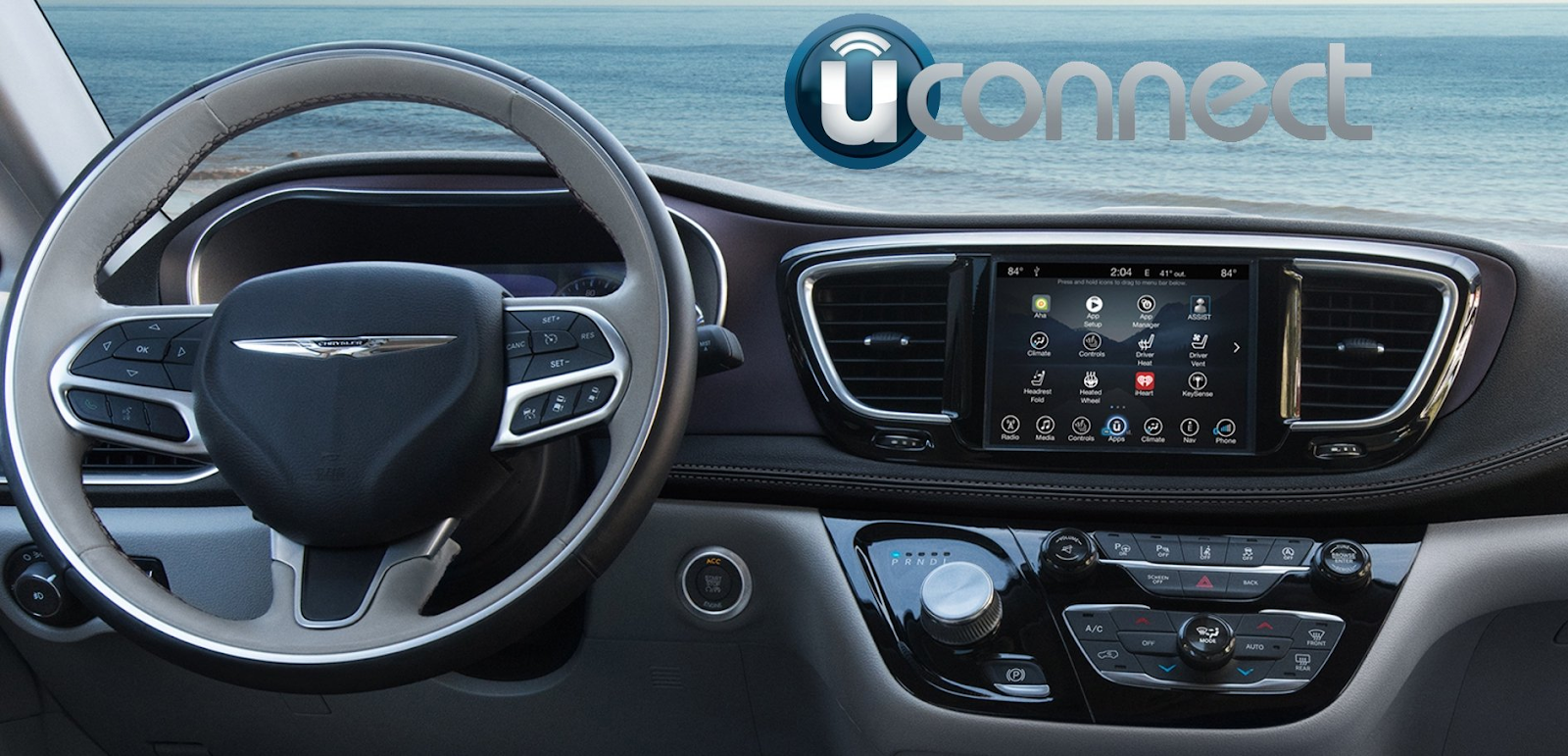
(All personas and mockups shown have been created by Arjun Tyagi)
The Goal
The focus of this case study was to redesign UConnect, an infotainment and navigation system that is installed in smart cars. The screen replaces a traditional radio, providing services such as music, bluetooth audio, GPS, and many more features all onto one screen. The purpose of it’s design is to allow drivers to easily access the necessary features they desire while on the road, all in one place.
Our team's goal was to create a more accessible interface for drivers who need to divide their attention between their infotainment system and the road. It can be difficult to juggle both, especially since the primary focus should be on driving. We aimed to better understand the user base and the product itself through our methods of personas, surveys, interviews, and remote user testing. By collecting and analyzing this data we were able to redesign the UConnect system in a way that promotes better safety and meets the needs of a wider variety of users.
Methods
-
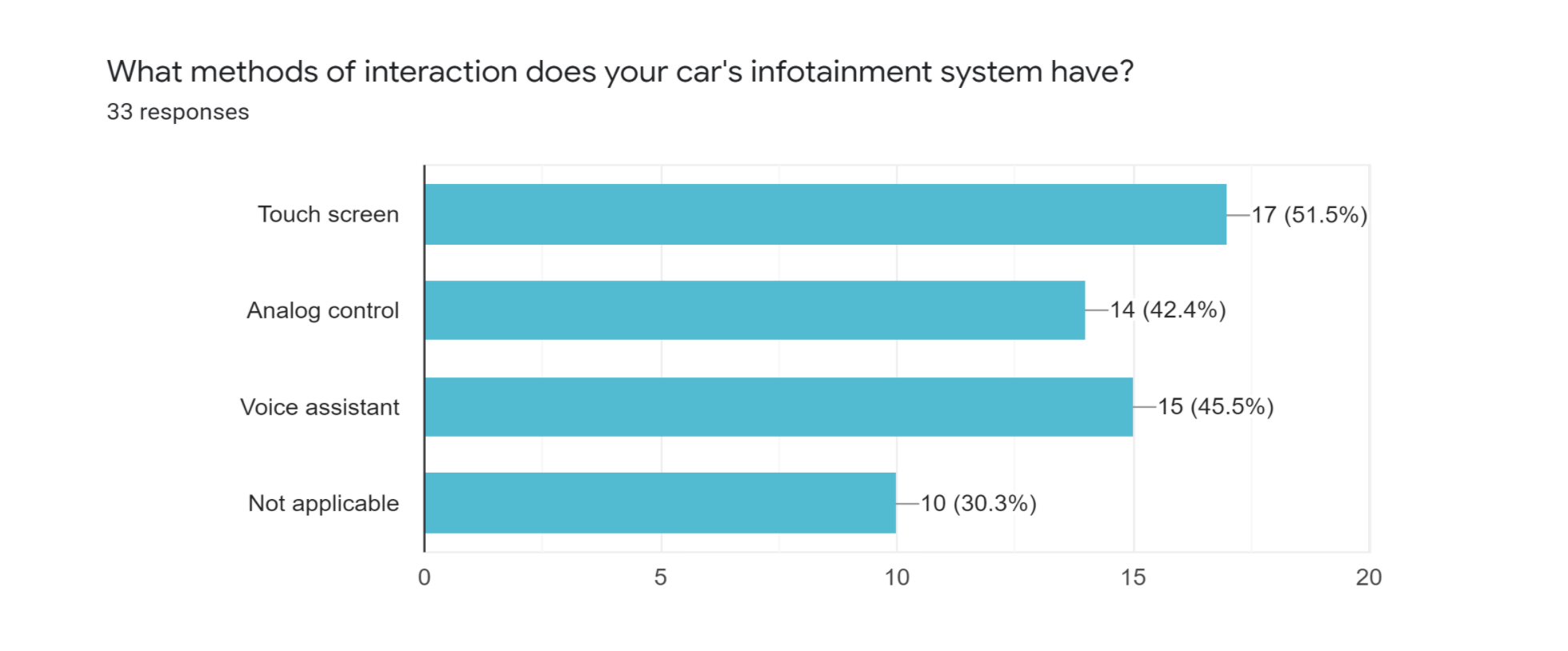
Surveys: Surveys were used to identify and collect preliminary data about our target population (e.g. demographic information, pain points, how users are currently accomplishing tasks). Our survey was designed and administered via Google Survey. It consisted of a total 16 questions, designed to take approximately 10 minutes to complete. The team surveyed 31 participants in total. Participants were recruited within known social groups. Questions focused on five objectives: (1) To find out the general age distribution, (2) What kind of application and technology participants used, (3) What they are doing to maintain safety when driving, (4) Main areas of frustration of interacting with tech/apps while driving, (5) Rating questions for different scenarios.
-
Interviews: Interviews were used with the intention to elicit information that we couldn't otherwise get from surveys. Our team conducted a total of eight interviews with each session taking approximately 30–35 minutes. Each interview consisted of 17 questions, following a semi-structured flow. We asked general as well as open-ended questions that allow for many opportunities for interviewees to delve deep into their honest thoughts and criticisms for the product.Interviews followed the indicated protocol and consent forms were handed and made clear to each interviewee before beginning. In our study, we attempted to learn more about participant's thoughts and opinions on how they interact with devices and accomplish certain tasks while on the road. Questions were designed around three main objectives: safety, technology-use and ability. From this process, we discovered what issues users encountered when using infotainment systems and how the current interfaces affected their experience.
-
Personas: Personas represent groups of users with shared qualities within our target population. They were used to communicate who the users are and the general focus of design. Our personas were primarily drawn upon data collected from user interviews, supplemented by additional data from compiled survey results. We constructed a total of three personas, each with a general bio, wants & needs, motivation, key quotes, frustrations and frequently used apps, technological ability and vehicle usage.
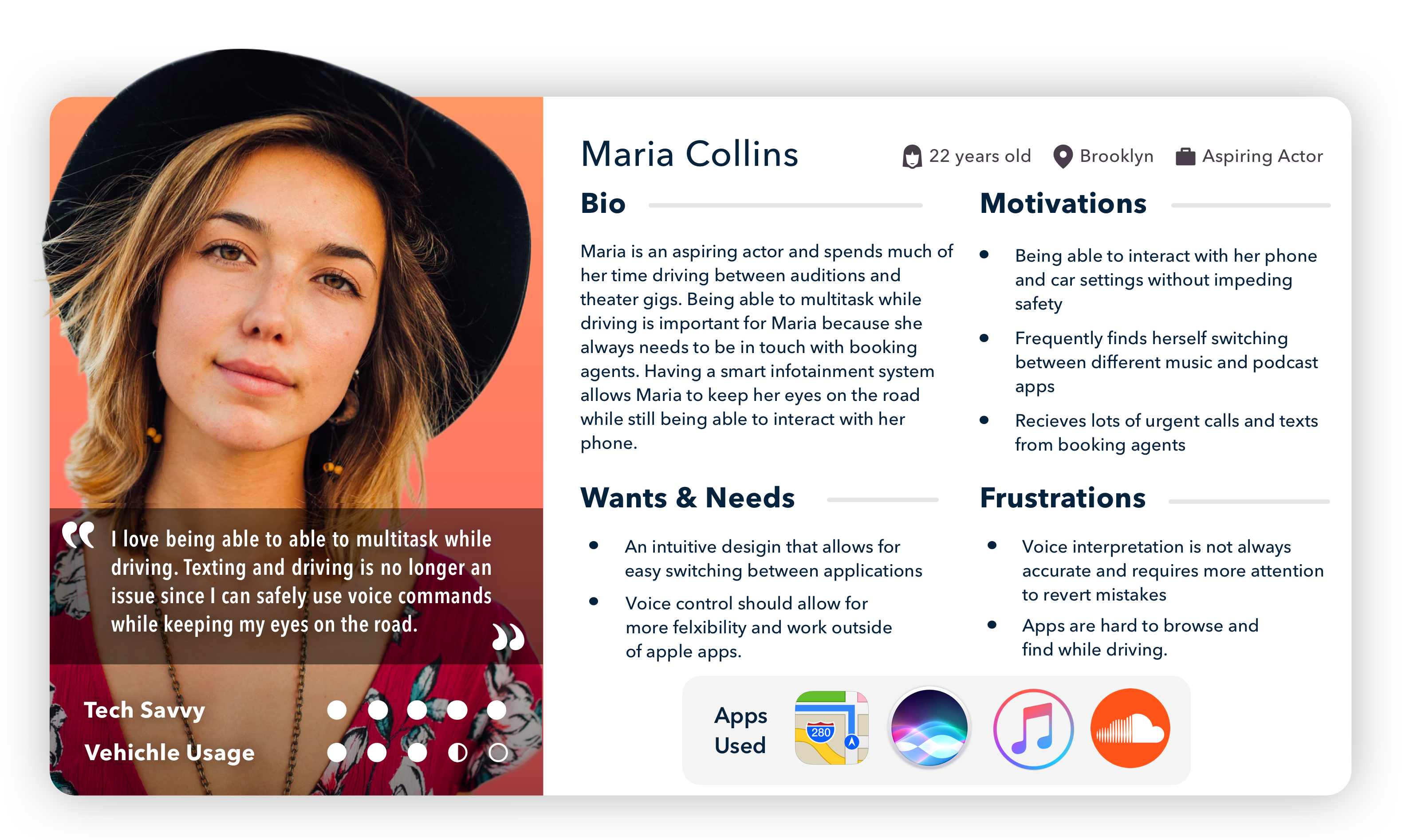
Represents the younger population and how they interact with their smart devices while driving.
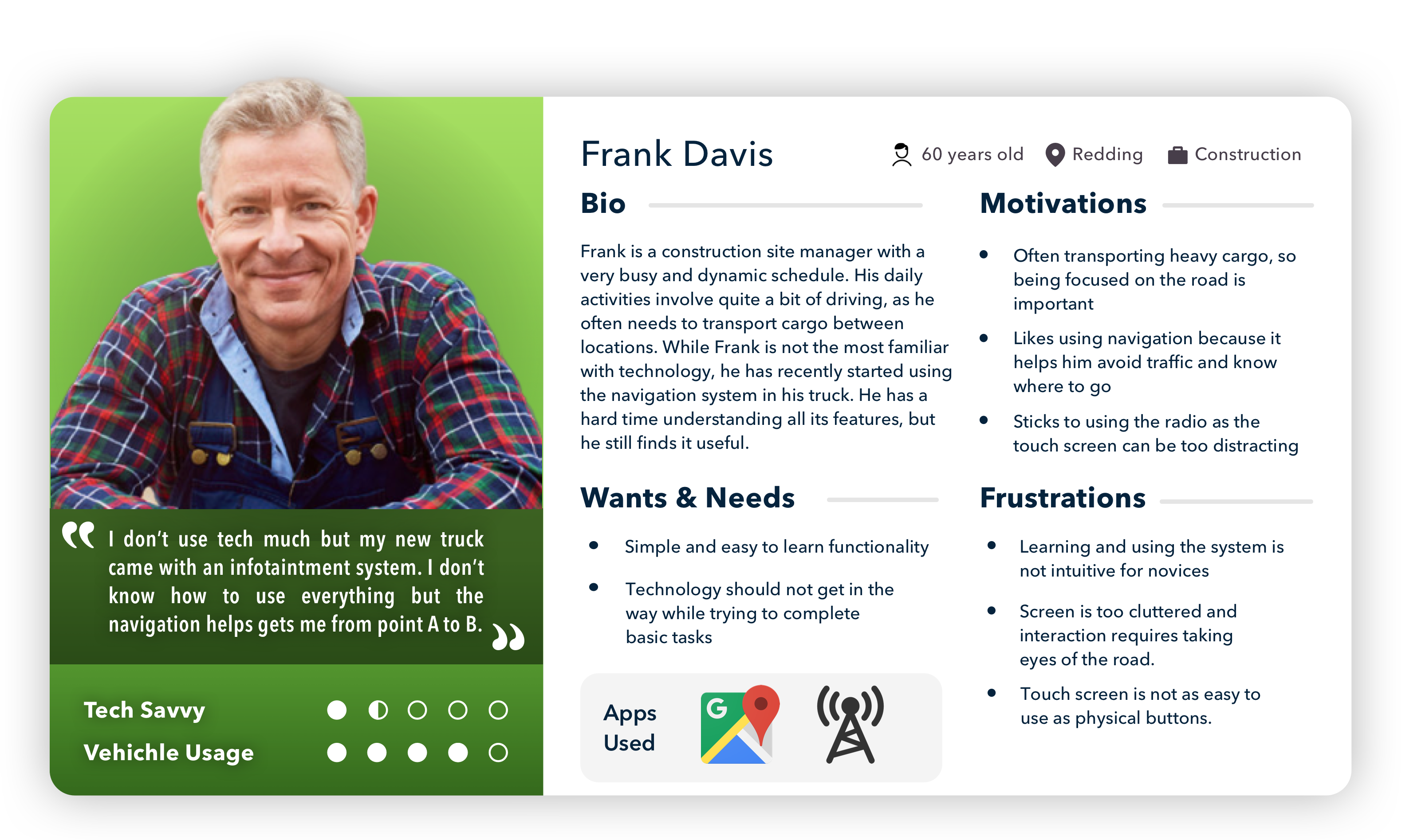
Persona representing the older population of users who struggled to learn and use all of the infotainment system's functionalities.
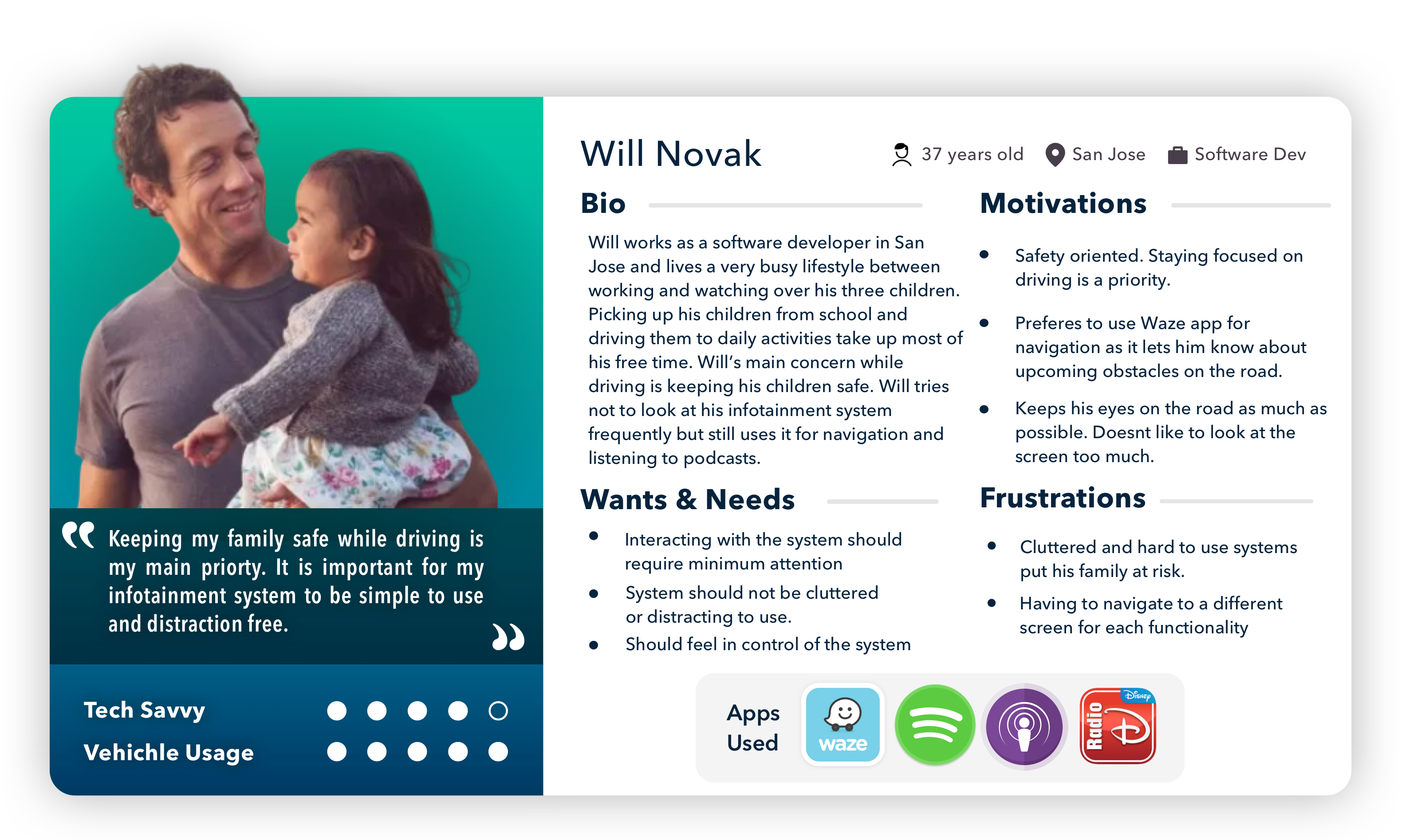
This Persona depicts adult users with family and children. Safety is a concern.
Findings
The findings from the remote user testing sessions and heuristic evaluations proved to be the most useful in helping us identify four high level usability issues that held priority in terms of redesign. These four usability issues included:
-
Lack of Simplicity: We found that a majority of the core functionality was often crowded by irrelevant and rarely needed features that did not need to be presented to the user all at once. A clear example of this could be seen during testing related to the navigation functionality. We saw that participants generally struggled to figure out where to enter the destination to start the trip and were unsure of whether to use the search bar on the main page or to use the "Where To?" button.
-
Unintuitive and Cluttered Design: The most flagrant case of unintuitive design was identified when more than half of the users struggled to switch the radio to a specific station. Most users are familiar with turning a dial to tune into a specific station so participants did not immediately see the tune button within the cluttered interface. One participant commented after completing the scenario that a simple task like switching stations should not require opening a separate tuning page.
-
Flawed Button Placement: Another clear usability issue that we identified from our results was that a majority of the user errors stemmed from the inconsistent and poor button placement. During our user testing this was most clear during tasks with the media player and phone system. For the media page we saw that much of the screen space was occupied by large non clickable buttons and rarely used functionality, while the core daily use features were hidden or put to the side. In both scenarios the participants were led astray by the meaningless button placement of the interface.
-
Scattered Functionality: Our team found that the last of Uconnect's usability issues arose from how important functionality was scattered across the system. During user testing we saw that all six participants struggled with smoothly transitioning between tasks since it took time to find the app or feature. We found that more than half of the participants were surprised to find the radio button hidden away in the apps page. Most had assumed that radio would be a default button on the navigation bar.
Redesign Process
Based on our findings our team began brainstorming sessions to develop sketches and wireframes that best addressed the pain points found during the user testing sessions. As part of the team, my task was to redesign the following navigation system:
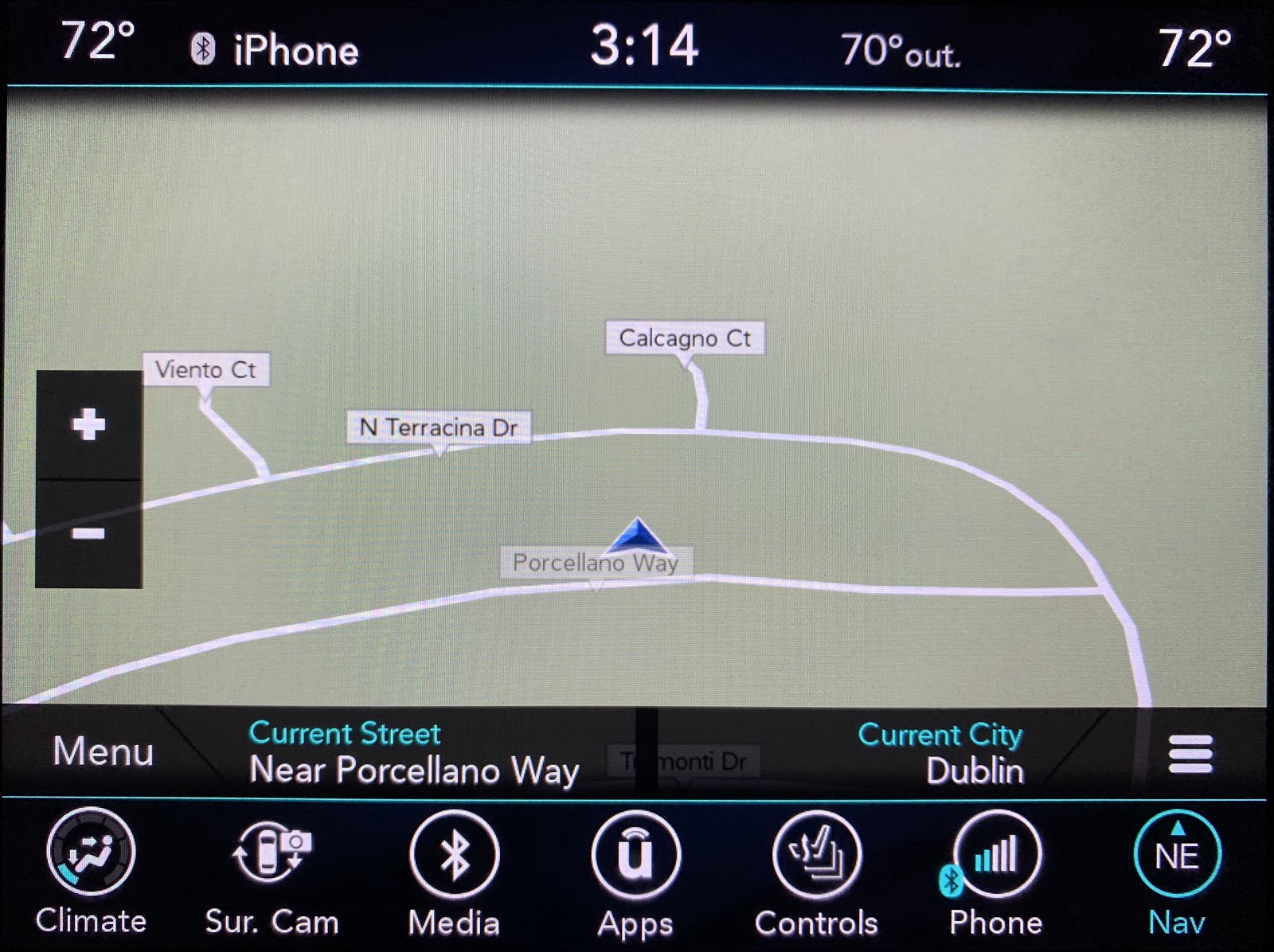

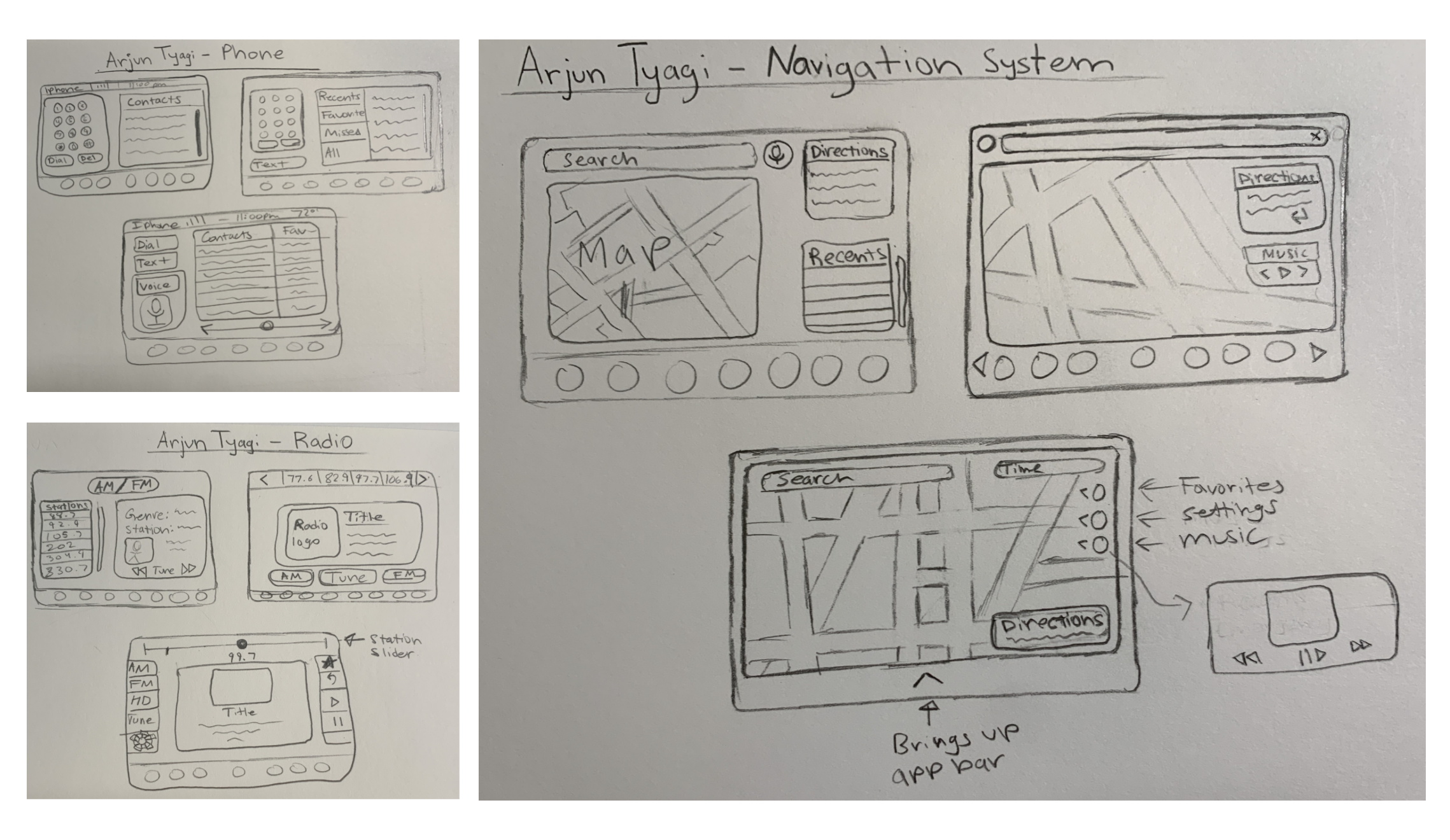
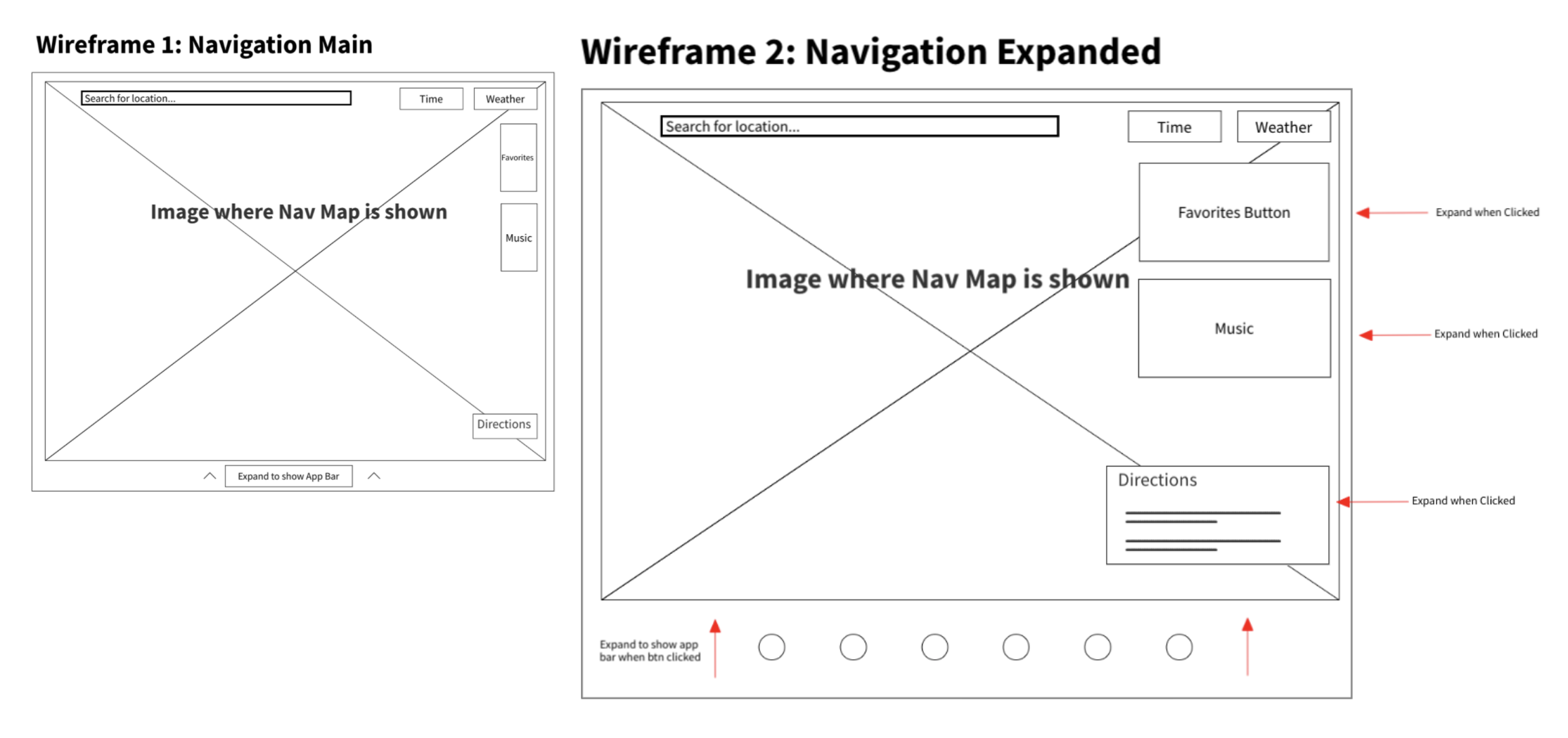
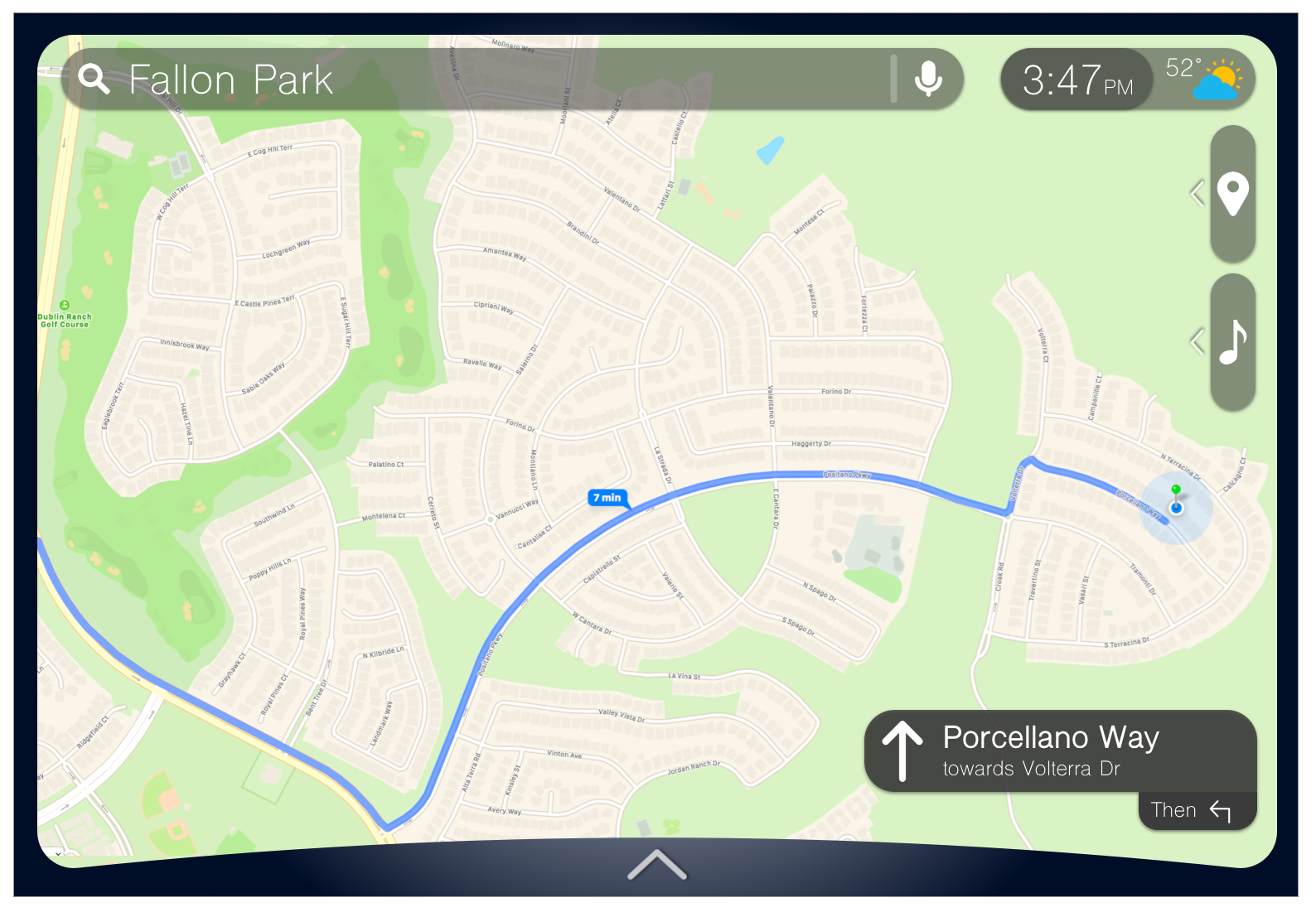
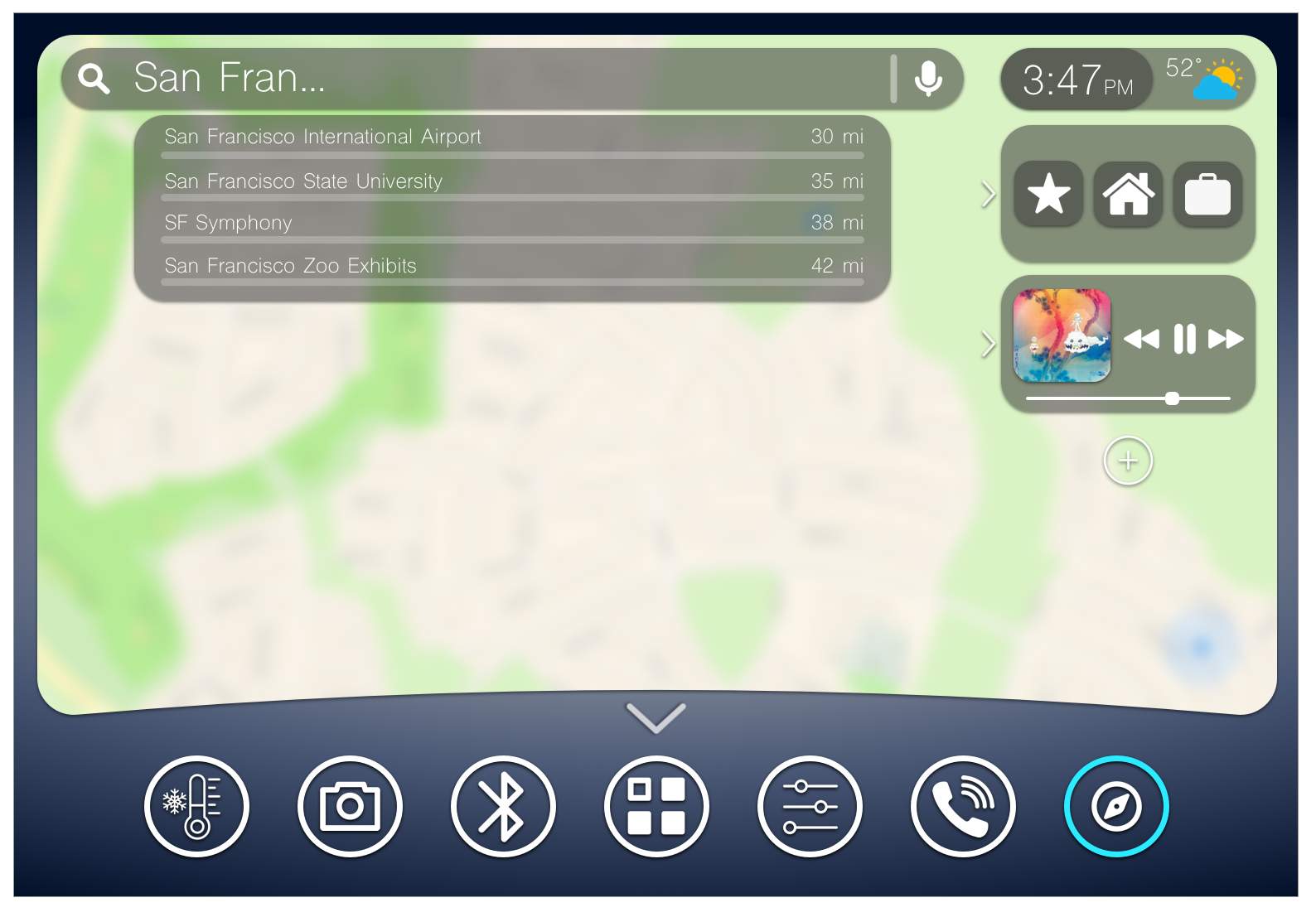
The navigation screen was redesigned around the goal of improving the simplicity and the general look and feel of the system. The navigation screen suffered from a great deal of clutter and unnecessary functionality that served as a major distraction to drivers. Evidence of this could be seen when users struggled to figure out where to enter a destination during the remote testing sessions. The new design mitigates these issues by improving the screen real estate by condensing more functionality onto a single screen. For example the user can search directly from the search bar at the top. Rather than having to move between several screens, all of the core relevant functionality can be accessed through the expandable buttons to the right. Similarly more of the map is shown to the user since the task bar at the bottom is hidden and can be expanded if the user slides up from the bottom of the screen.
High Fidelity Mockups
Below are the high fidelity mockups for the redesigned Navigation system. The second image shows the expanded view where the task bar, favorite locations and music can be accessed:
Conclusion
Our team chose Uconnect as our redesign target because we recognize that as cars become more technologically advanced, we're making a move away from tactile buttons and more towards touch displays. With cars having so much smart functionality, if the car infotainment system isn't designed well it can become harder to keep your eyes on the road while trying to switch apps or navigate. It's important that UConnect is designed to be easy to use so that drivers can safely focus on driving rather than fumbling around with badly designed user interfaces.