Web Crawler & Search Engine
Creating a Search Engine from the Ground Up, (Source Code)
This is a two part project that involved implemting the core functionalities of a web crawler and creating a search engine from the ground up that is capable of handling thousands of documents and Web pages.
Web Crawler
This project began by using the empty shell of a spacetime web crawler and implementing the core scraping and multithreading functionalities. The scraper function receives a URL and corresponding Web response that is parsed so that information and any additional links leading to other pages can be extract from the page. By seeding the crawler with any new links found, we are able to scrape, store and explore the web in a simultaneous process. For the purposes of this project the crawler was limited to 5 domains within the UCI domain and found 10167 unique pages. My implementation of the crawler also made sure to:
- Abide by the 500ms politeness delay for each site
- Detect and avoid infinite traps
- Avoid similar pages with no additional information
- Avoid large files and dead URLs
Implementing the crawler helped me learn how to gather and store relevant data from the web so that it can be easily indexed and searched through in the next part of this project. For the purposes of the crawler, data was simply saved in a json file in the format shown below.
Search Engine
The Search Engine component of this project uses a smaller subset of a couple thousand pages for the corpus as compared to the total 10167 unique pages that were previously crawled. The Search Engine contains two components: an indexer and the search engine itself. The indexer’s job is to extract the relevant information from each page and to create an inverted index for the corpus so that results can be easily searched for and presented to the user. My indexer uses a sqlite3 database to index all the pages. The smaller corpus size and database index allow my query time to be fast (sub 100 ms for queries with less than 10 tokens).
Below you can see how the indexer tokenizes each page using NLTK and BeautifulSoup4 libraries. Alphanumeric sequences are also checked for meaningless stop words and extra weight is given to important words in bold or headings. Porter stemming is used to shorten words to their root/base as a means for better textual matching.
In order to improve the ranking performance and search quality of the search engine I incorporated the following features:
- Exact Phrase Matching: I am saving positional data within our index with word positions and use that information for exact phrase matching.
- Important words: I am saving tokens that occur as titles, heading, underlined, strong/bold, in a separate index and use that information for ranking the results.
- Cosine Similarity: Implemented cosine similarity (no library), to rank search results.
- Ranked Retrieval: We are using a stacked form of ranked retrieval where multiple types
of queries are performed in the following order until the target number of results are
found:
- Exact phrase match using positional data
- Important words using markup data
- Matches using ‘AND’ boolean queries
- Matches using ‘OR’ boolean queries
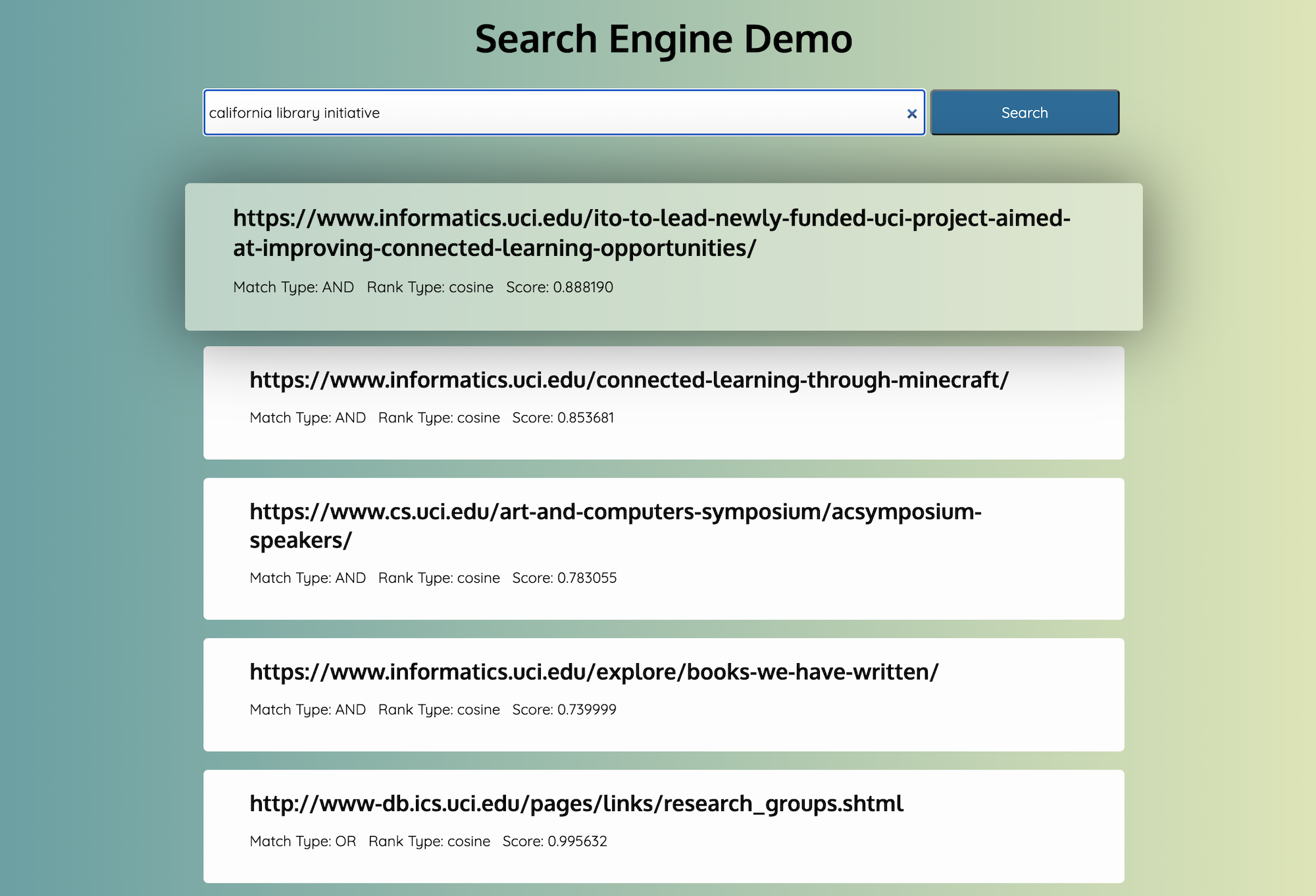
Web Server & Front End Demo
In order to provide the search engine with a user interface, a Flask based web server is used to serve the front end searching functionality. When the user clicks search, a REST call is triggered to the running web server which then allows the response to be displayed on screen. Watch a demo of the search engine running below.